Back to the coordination graphic

Case study · design iteration

Rebuilding a 3D graphic under review.

An Orchard team took a homepage scene from procedural geometry into Blender. The first custom models were rejected too. Here is the feedback, the successive scenes and the work that followed.

Orchard’s own websiteDesign · modeling · web integration
Follow the revisions

The brief

Keep the coordination.
Rethink what it looks like.

The graphic needs to explain how work moves between a coordinator, agent sessions, shared knowledge and a reviewer. The user asked for custom Blender models and better lighting, while preserving that story.

“looks terrible, go make custom models in blender to make this look good”

User feedback on the visual direction

01

Original direction · rejected

The concept worked. The visual language did not.

The scene explained task dispatch, independent agents and review. Its metallic platform, plinths and orbiting cages made that coordination look like a dated technology illustration. The request was to keep the concept and change the objects.

Next decisionKeep the workflow. Remove the stage furniture.
Browser capture
Original homepage coordination scene with a metallic platform, raised plinths and orbiting wire cages.
Original website scene. This was the direction the user asked the team to replace.Open full size
02

Procedural revision

Simplify the scene before replacing the assets.

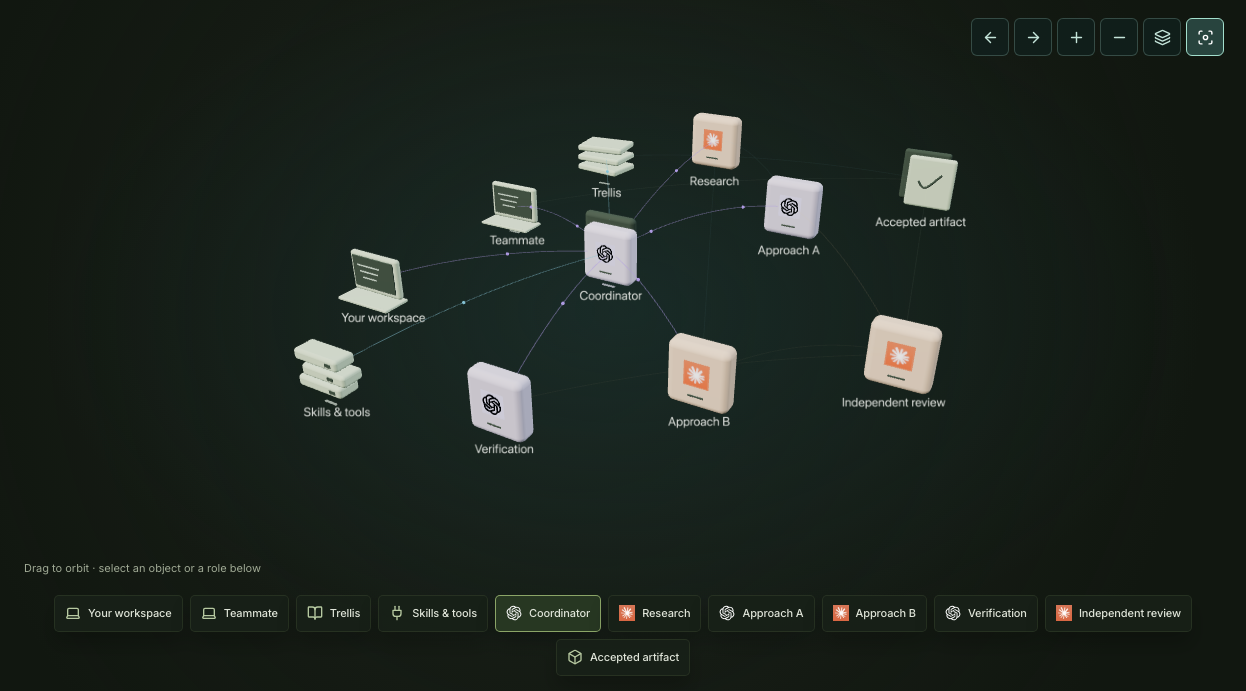
The next pass removed the platform and cages, introduced matte modules and separated the labels. The agents, connections and inspection controls stayed recognizable while the geometry and lighting changed.

Next decisionReview an actual browser scene, then decide what needs custom modeling.
Browser capture
Procedural revision with pale rectangular role modules, thin connections and separated text labels.
An intermediate browser revision, before the custom Blender role models.Open full size
03

First Blender direction · rejected

Custom models were not enough.

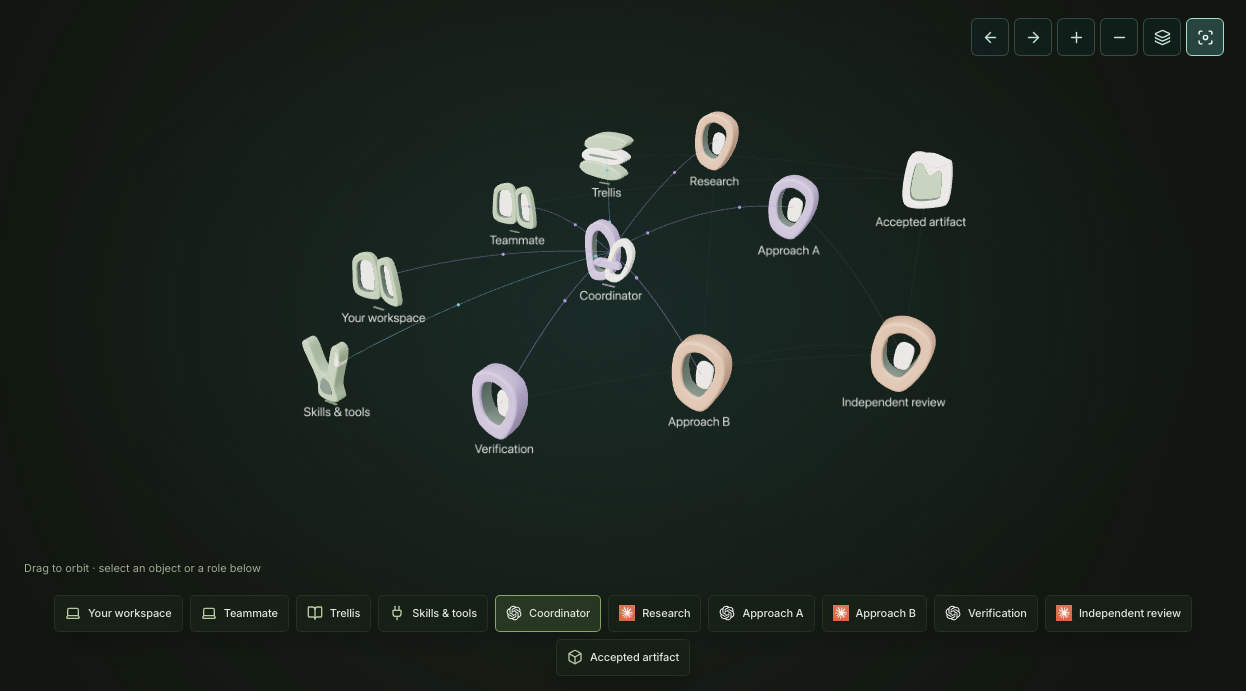
Six role models were authored in Blender, exported as a GLB and connected to the website renderer. The ceramic shapes loaded and could be inspected, but the user rejected the look and the lighting. A technically working export had not met the visual brief.

Next decisionReturn to Blender and make the modeling process visible.
Browser capture
First Blender direction: pale ceramic loops and sculptural forms represent the coordination roles.
The first Blender-backed browser scene. The user rejected this direction too.Open full size

04 · Modeling again

Show the work inside Blender.

The next pass moves the review into Blender: model shapes, material preview and lighting. The initial compute and routing prototypes were authored before the visible editor review. The captures below document that review and the remaining models being built; the earlier images show website output.
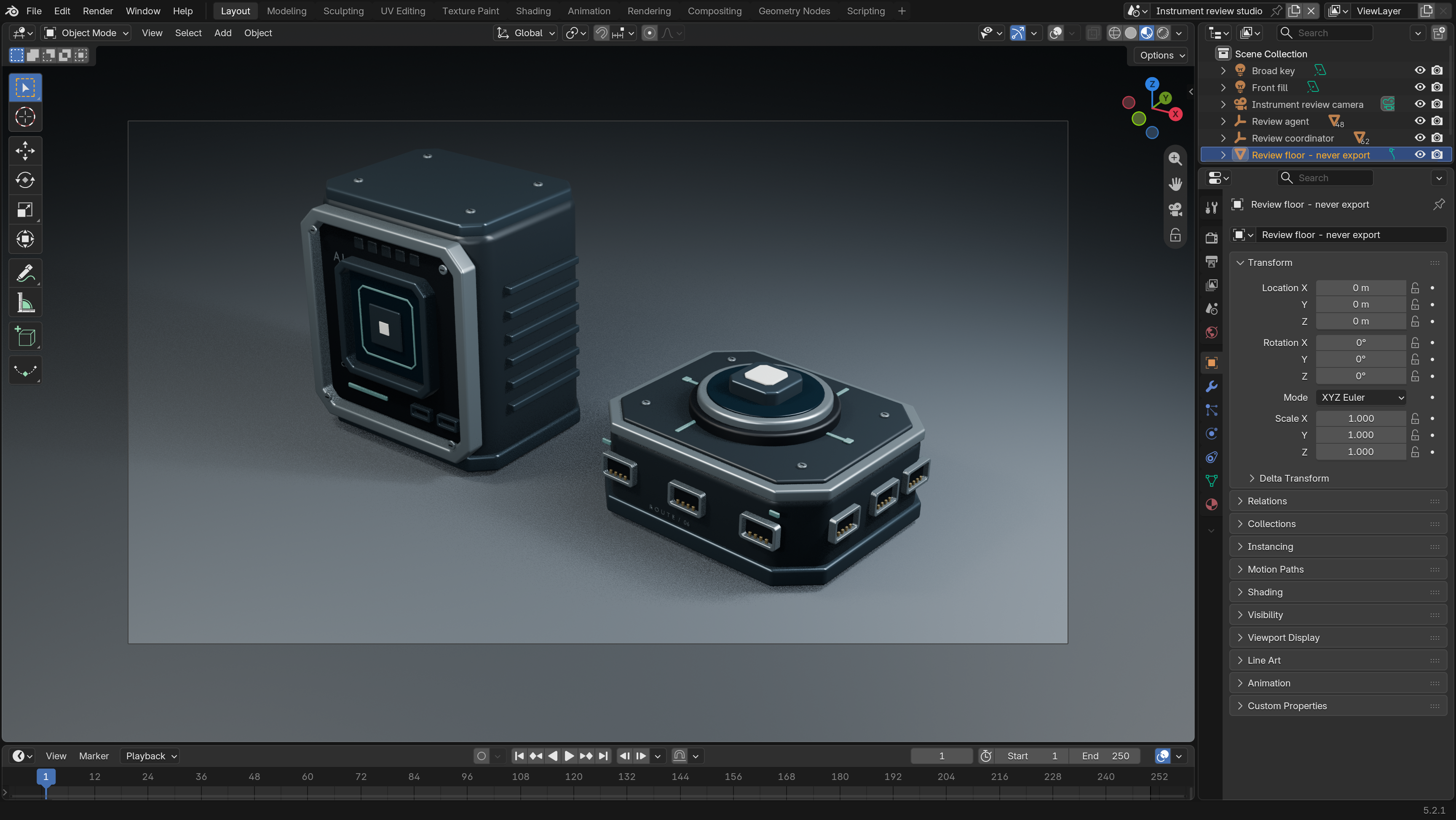
Rendered prototype
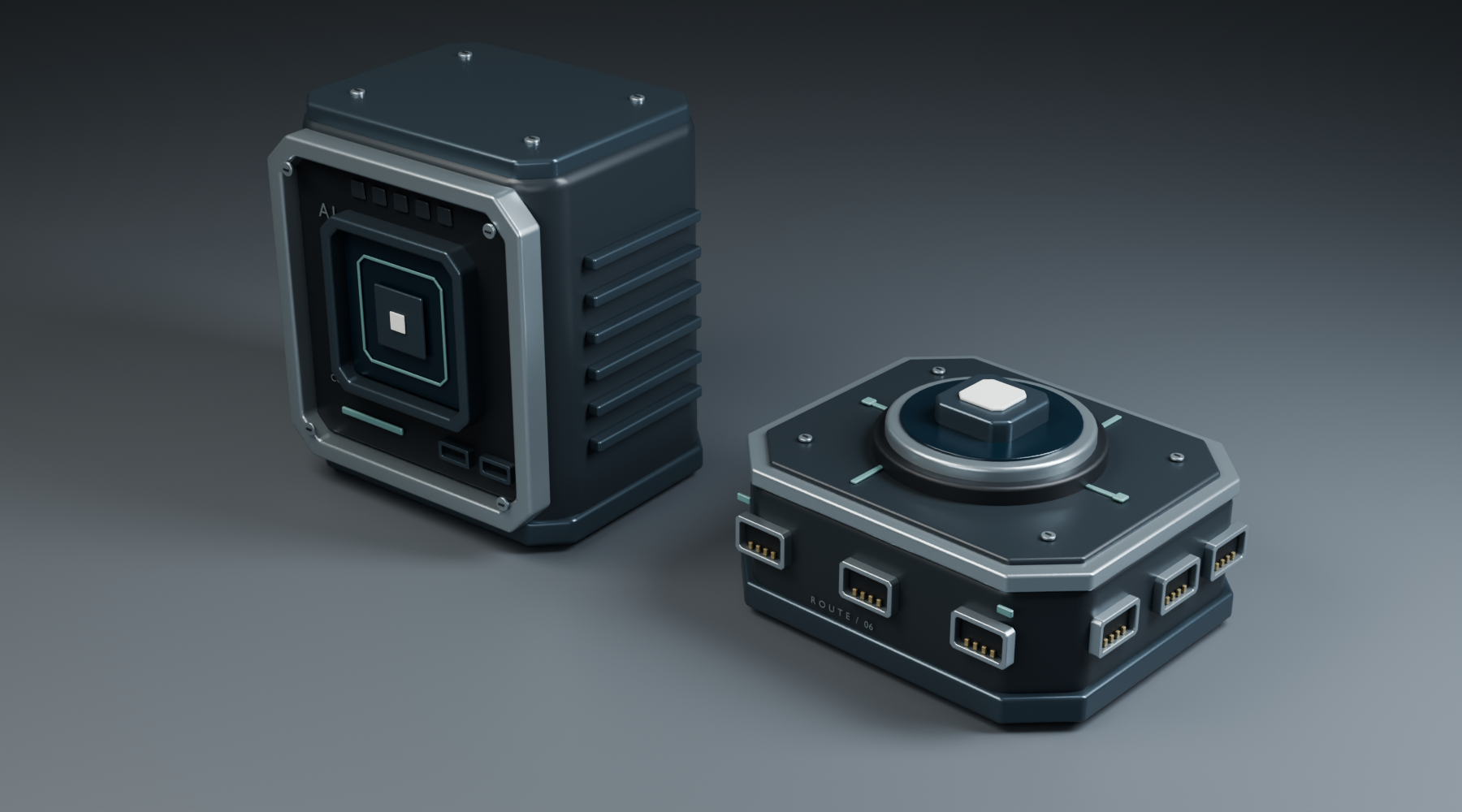
Rendered close-up of a graphite compute module and routing hub with inset ports and metallic trim.
A rendered preview of two custom Blender assemblies: a compute module and routing hub. This is a render, not a screenshot of the Blender editor or final website.Open full size

Eight captures from the actual Blender session

Blender editor capture
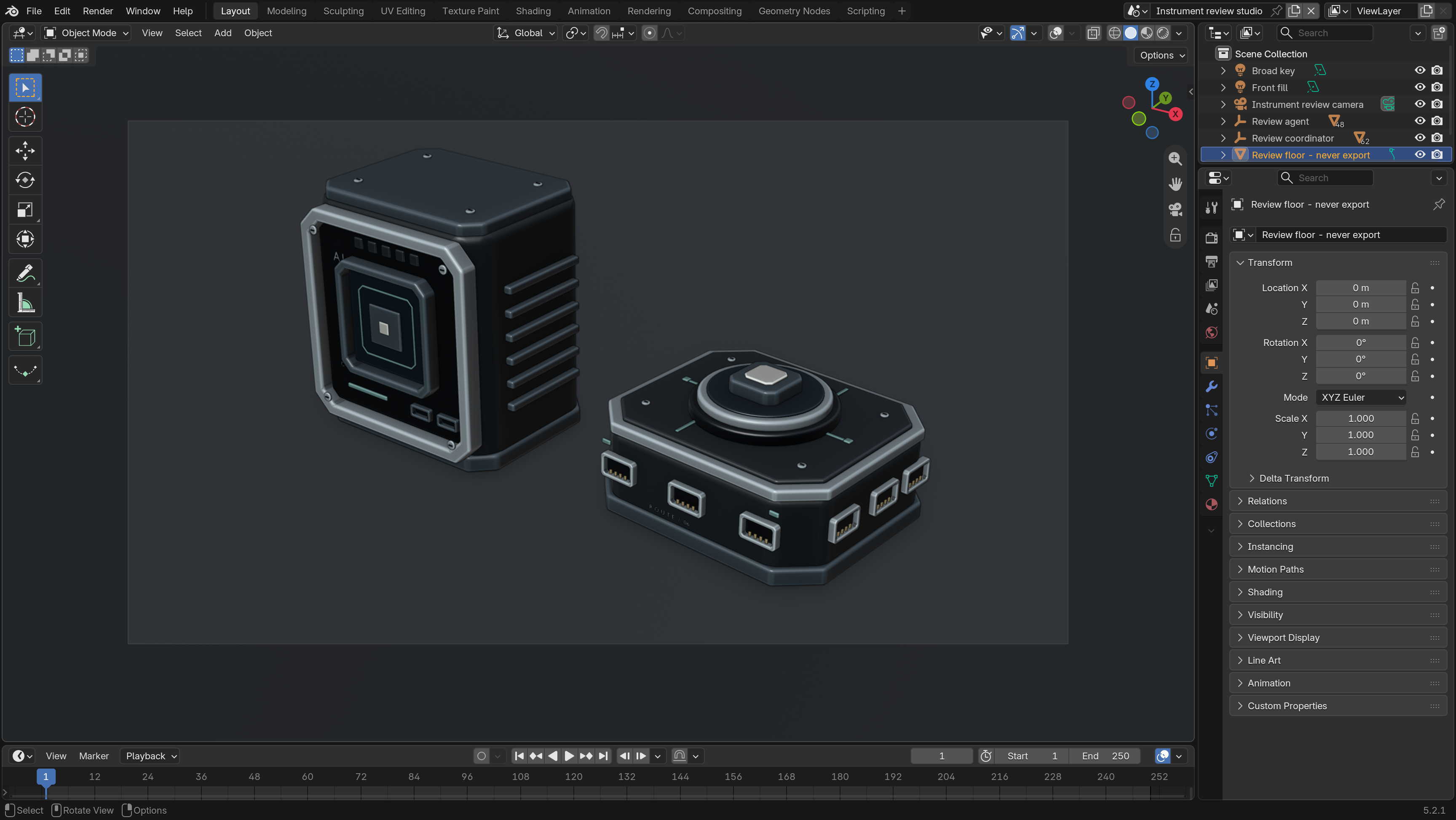
Blender editor showing a graphite compute module and routing hub in solid material-color view.
Agent and routing-hub prototypes opened in the visible Blender editor; solid material-color view shows the multipart housings, cooling fins, inset cores and ports. The initial prototypes were authored in a background process before this visible review.Open full size
Blender editor capture
Blender material preview showing studio lighting on the compute and routing prototypes.
Live viewport switched to studio-lit material preview. Broad key, edge reflection and front fill reveal graphite finish, machined metal frames and the depth of the core recesses.Open full size
Blender editor capture
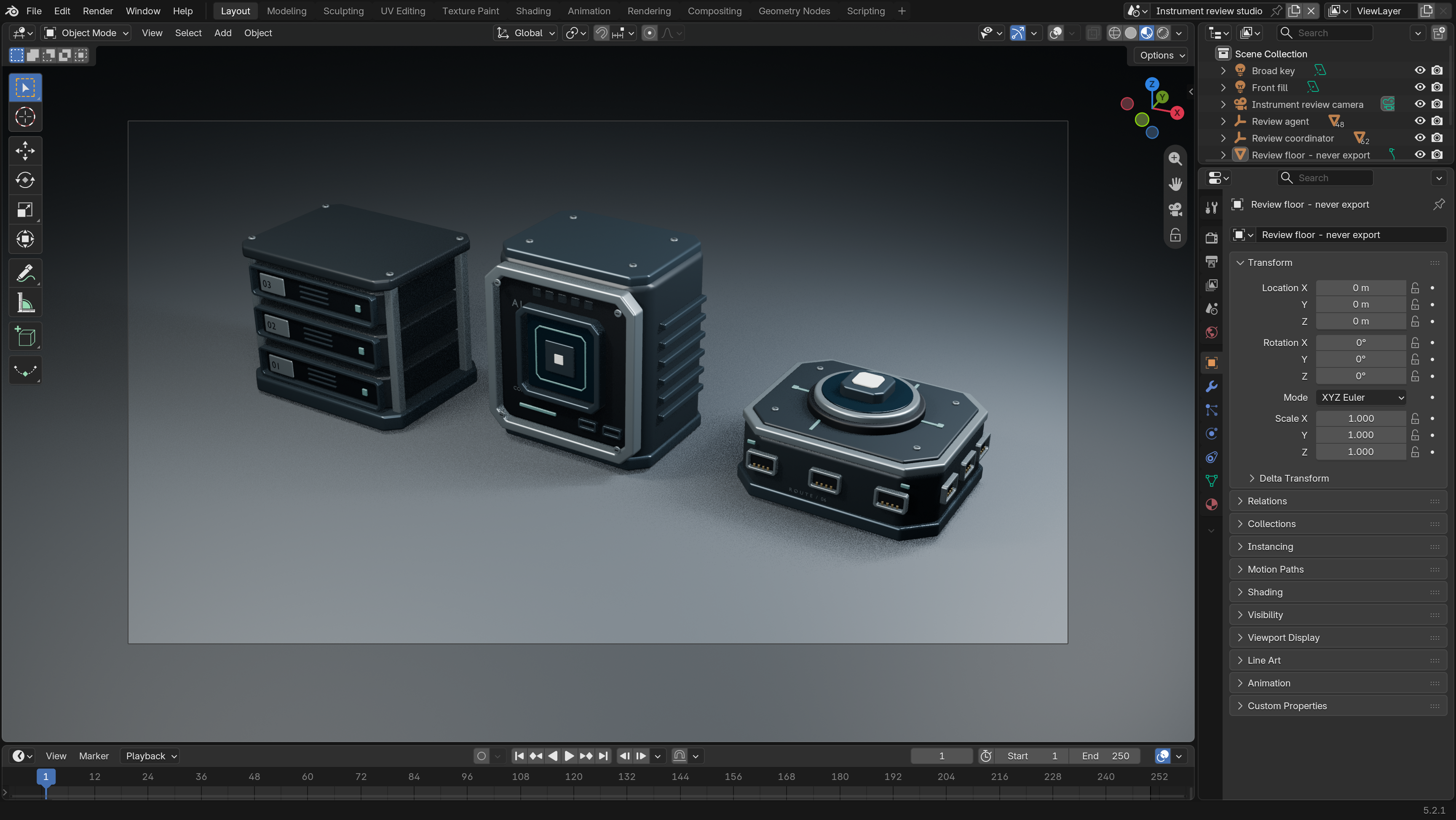
Archive cartridges added beside the compute and routing models in the visible Blender editor.
The archive model was added through the live Blender bridge: three indexed cartridges sit between machined guide rails, with recessed faces and small status indicators.Open full size
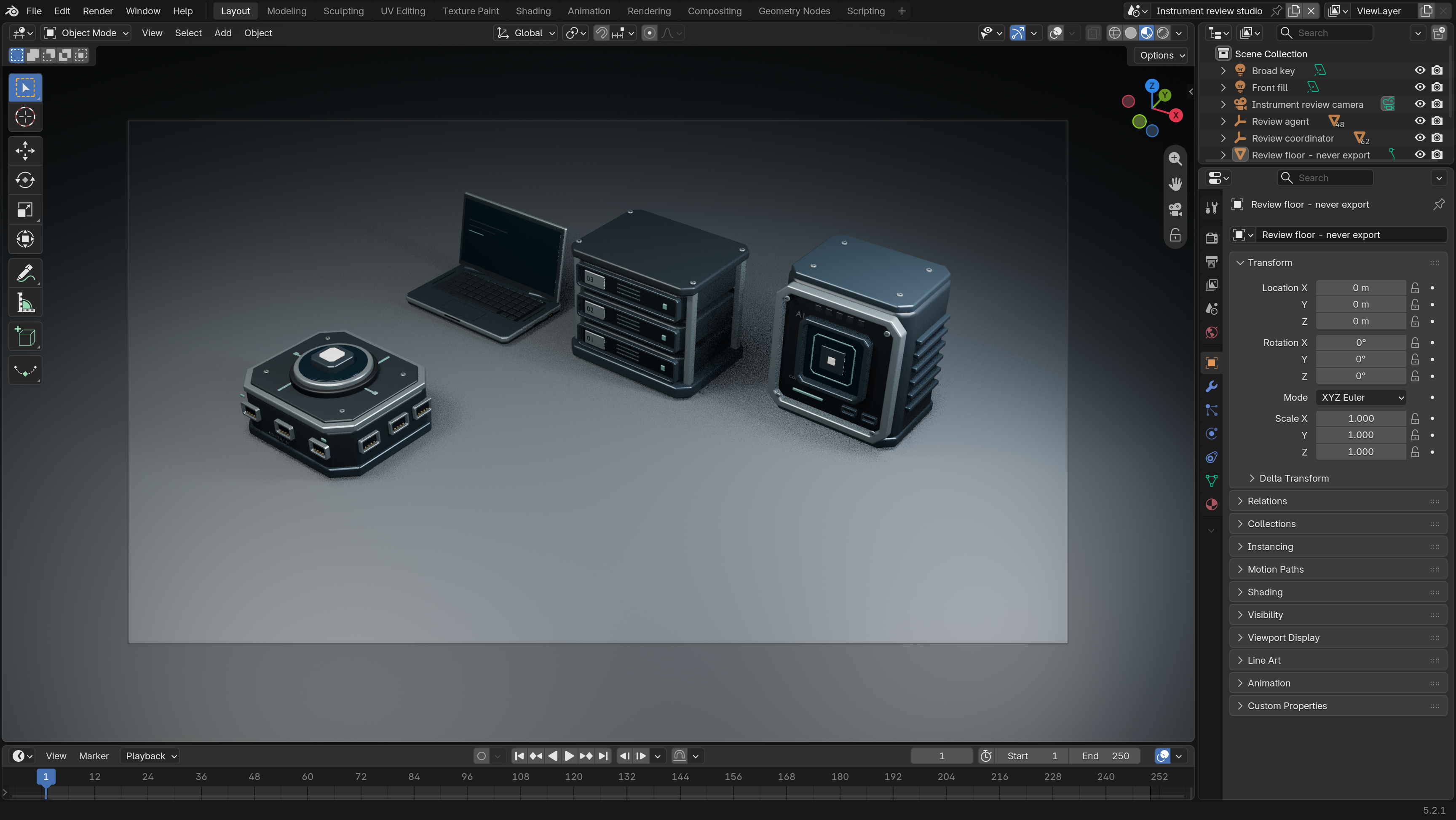
Blender editor capture
Open laptop with keyboard, hinge and display added to the Blender assembly.
The laptop source module was executed through the visible Blender bridge. The open display, hinge barrels, keyboard, palmrest, trackpad and side ports form a separate workspace silhouette.Open full size
Blender editor capture
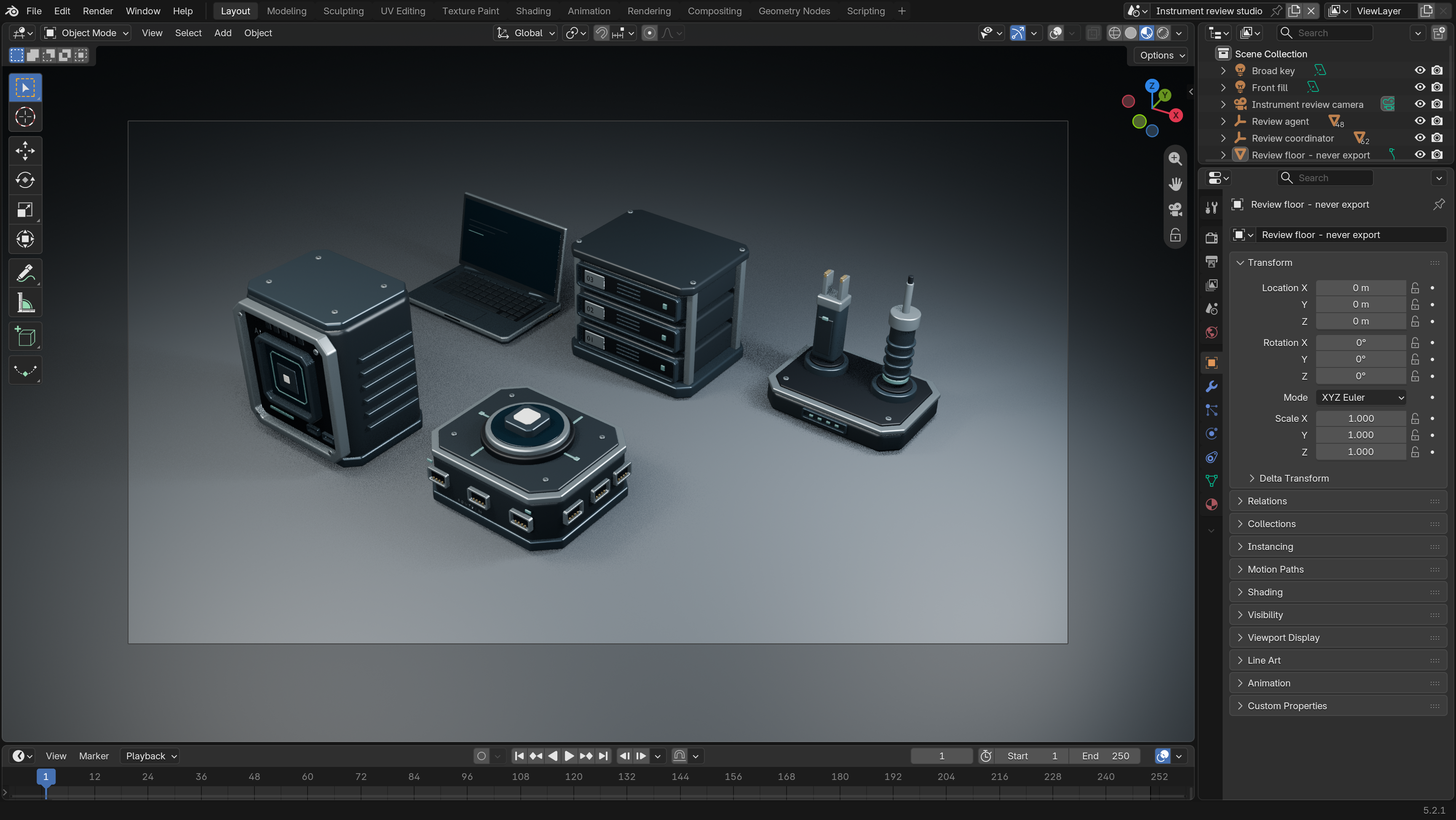
Precision driver and contact probe dock added to the Blender scene.
The precision tool assembly was added in live Blender: two distinct instruments sit in insulated sockets above a recessed docking deck, with a driver shaft, contact jaws and restrained status indicators.Open full size
Blender editor capture
All six custom role models arranged together in the Blender editor before optimization.
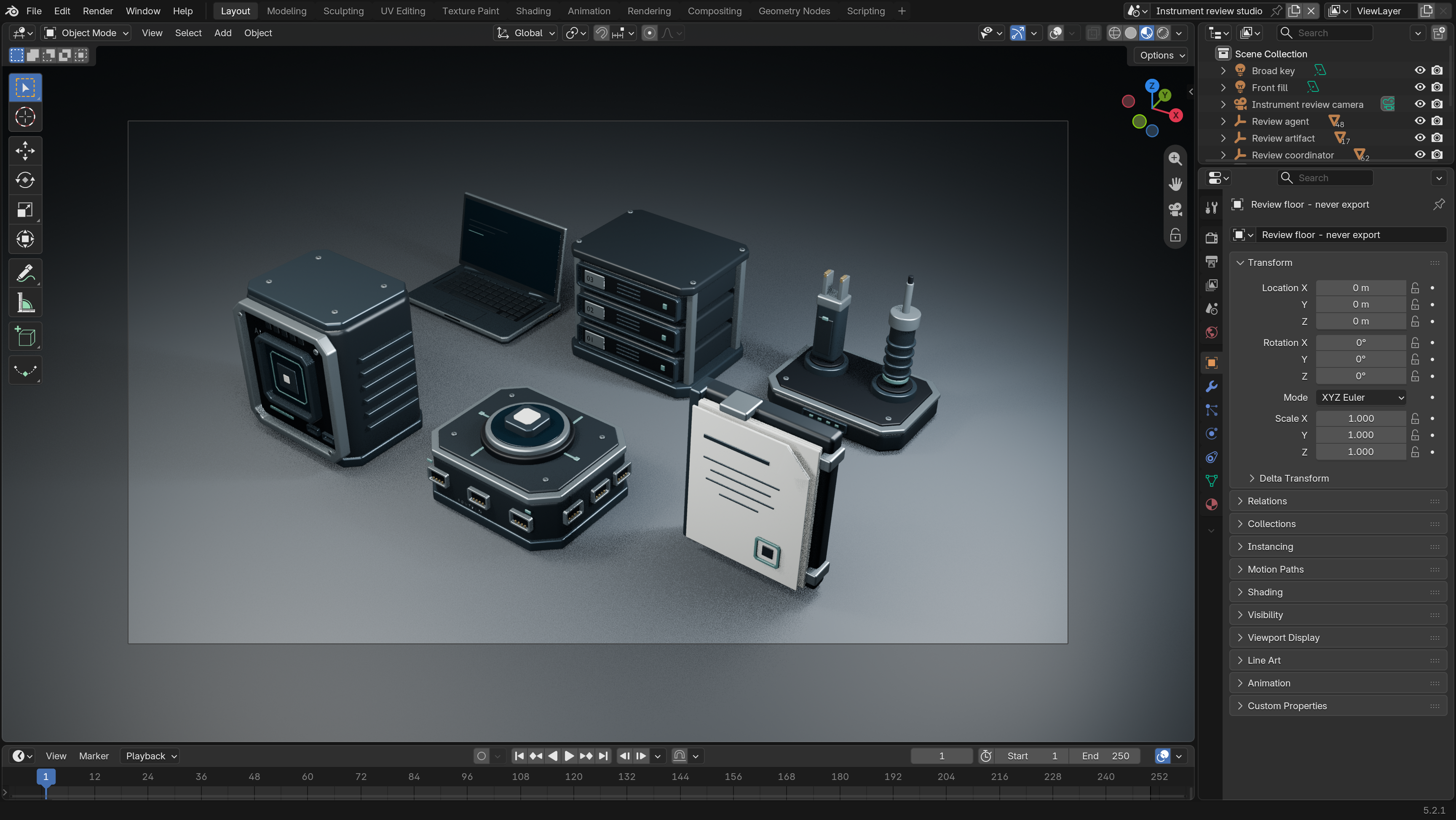
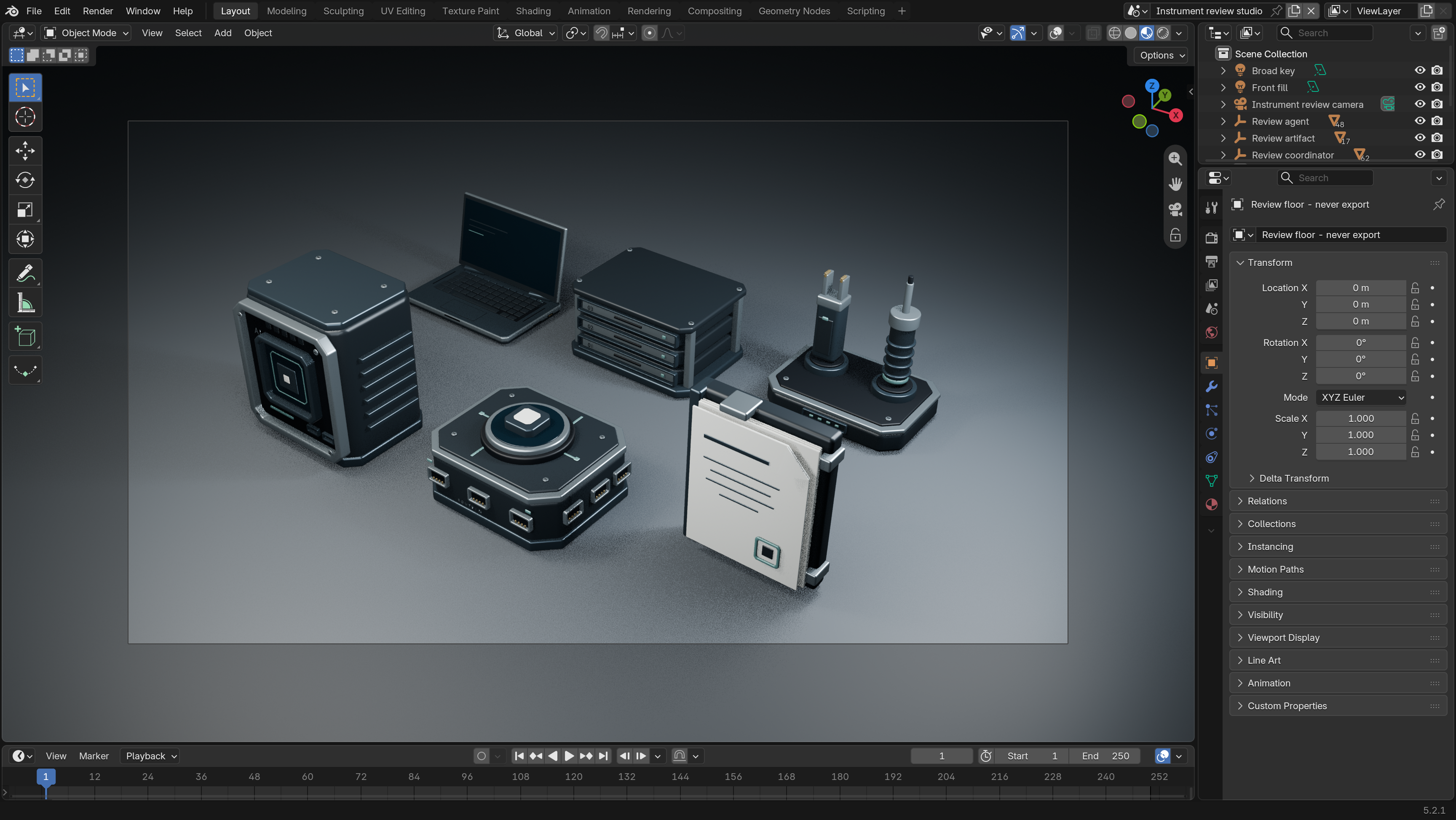
All six role assemblies are now present in the actual Blender editor. The finished artifact adds a bound document stack, lifted corner fold, metal clip and completion seal to the laptop, archive, docking tools, compute module and routing hub.Open full size
Blender editor capture
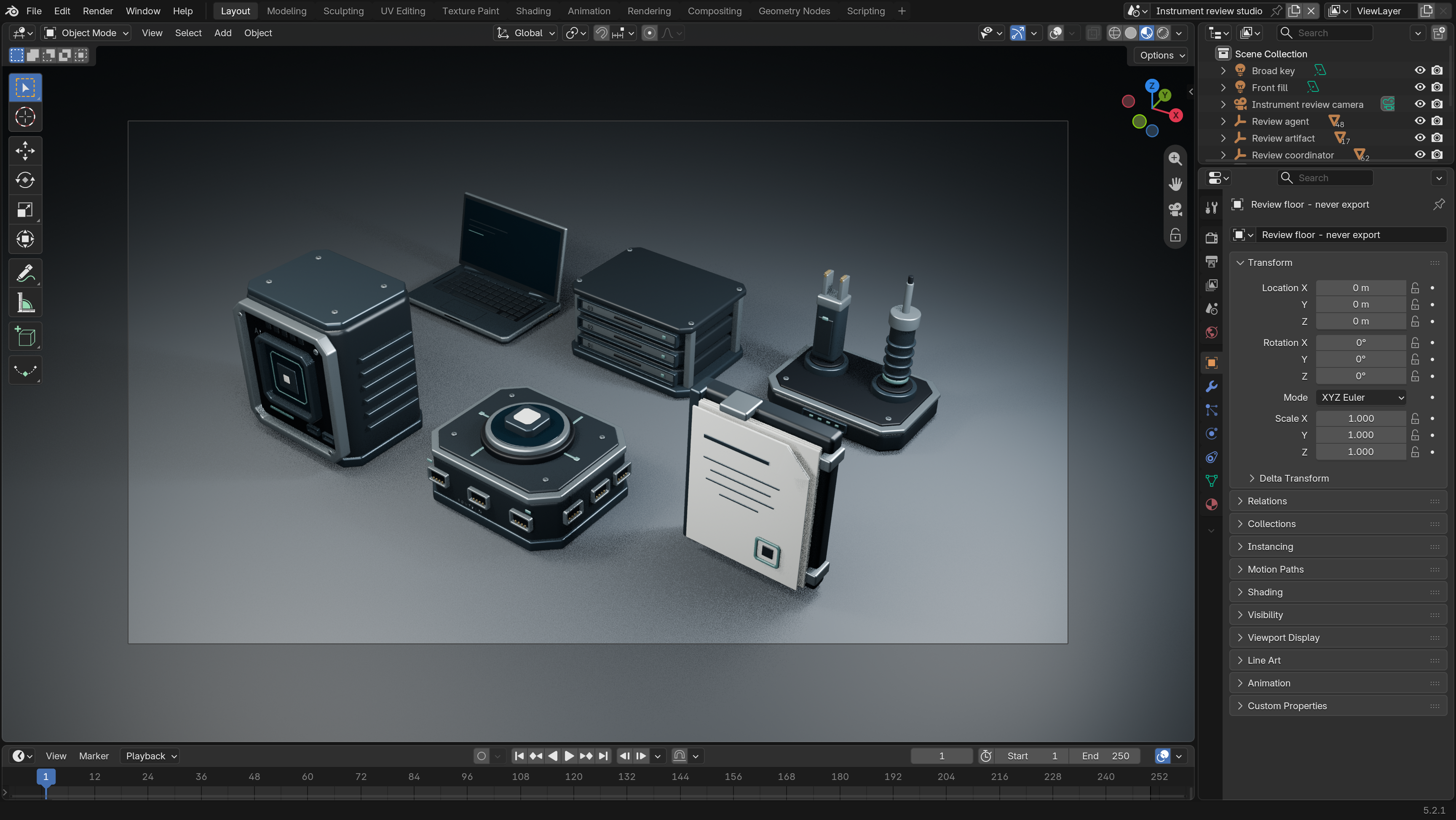
Blender editor showing the refined archive and optimized bevel geometry.
The visible assemblies were rebuilt with fewer bevel subdivisions on tiny features while retaining broad machined edge radii. The archive was lowered into a compact stack of storage cartridges with cleaner inset faces.Open full size
Blender editor capture
Final six-model kit in the visible Blender editor after export and material review.
The six instrument assemblies were exported from the live Blender session into a GLB draft with one mesh per role and material batches. The editable multipart source was saved, and separate full-size and web-scale renders were produced for visual verification.Open full size

How the work was divided

Separate scopes, a shared review.

Direction & critique

The user set the visual brief and rejected the retro and ceramic directions. That feedback sent the team back to the modeling work.

Modeling & export

A modeling agent authored role assets in Blender and handed over the GLB, editable scene and supporting artifacts.

Integration & review

An integration agent handled loading, lighting and the web scene. A separate review checked resource handling. The case-study work documents the evidence.

05 · Back in the browser

The rebuilt scene.

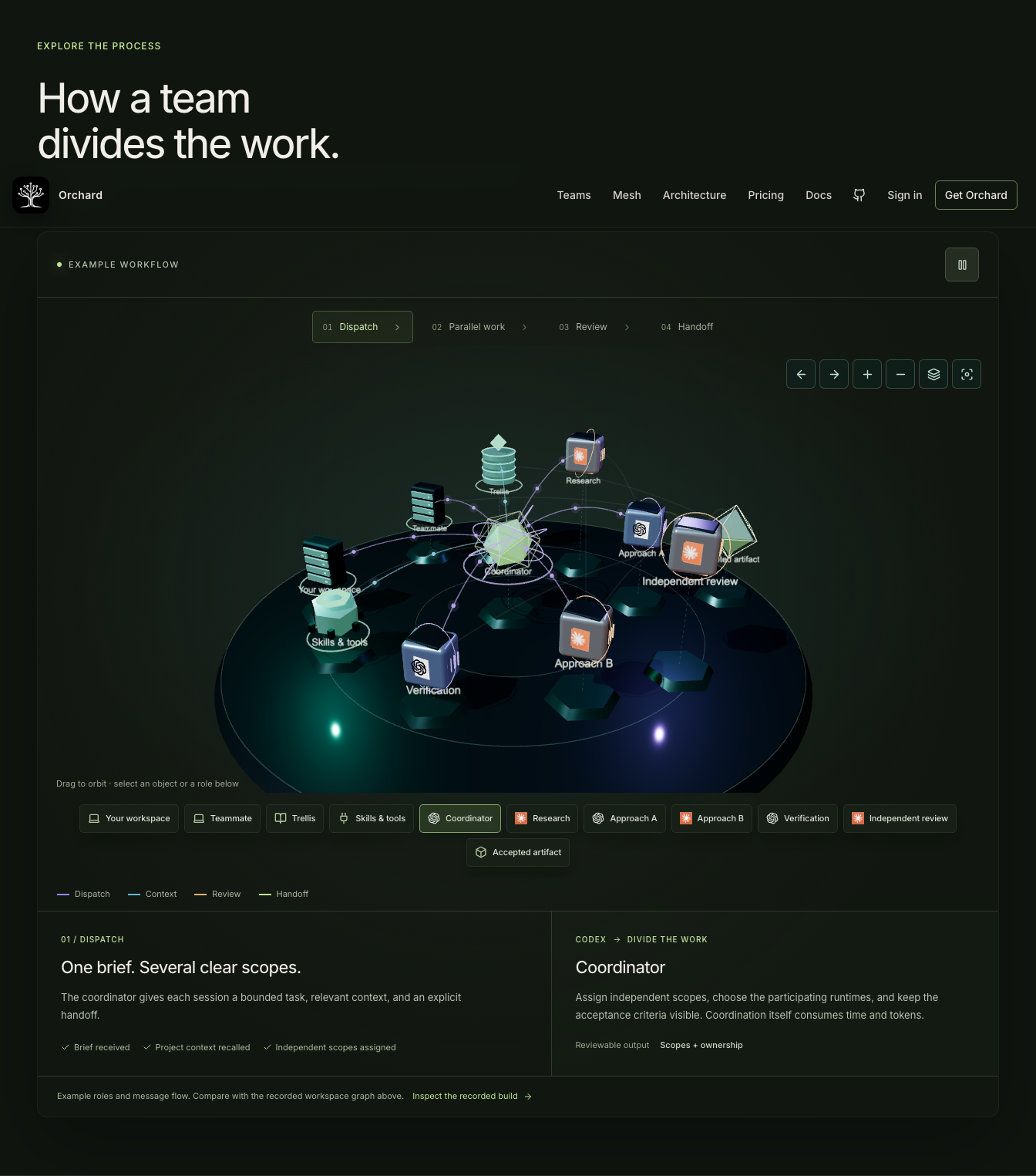
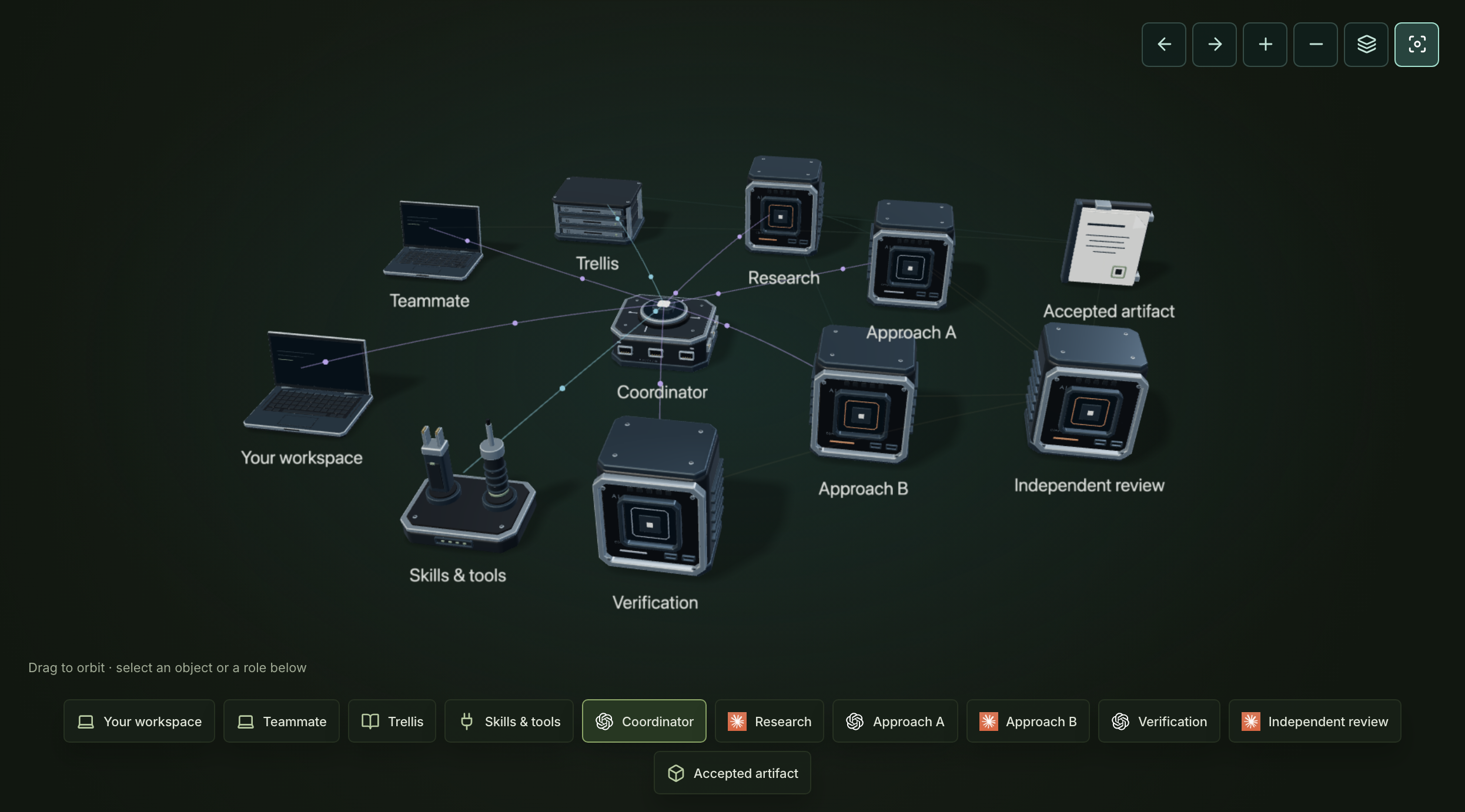
The new scene uses an open laptop, storage cartridges, a precision tool dock, compute modules, a routing hub and a document assembly. Broad reflected light reveals the graphite and metal surfaces. Captions follow the models as the camera moves.
Local browser capture
Rebuilt workflow scene with custom computing instruments, readable captions and connections between the team roles.
Captured in the local website during release validation, using the exported Blender models. The same kit now powers the homepage scene.Open full size

The shared model file is 750 KB and contains 34,716 triangles. The web scene retains role inspection, phase selection, play and pause, and the simpler phone and reduced-motion presentations.

Inspect the coordination section